Radio Atlas
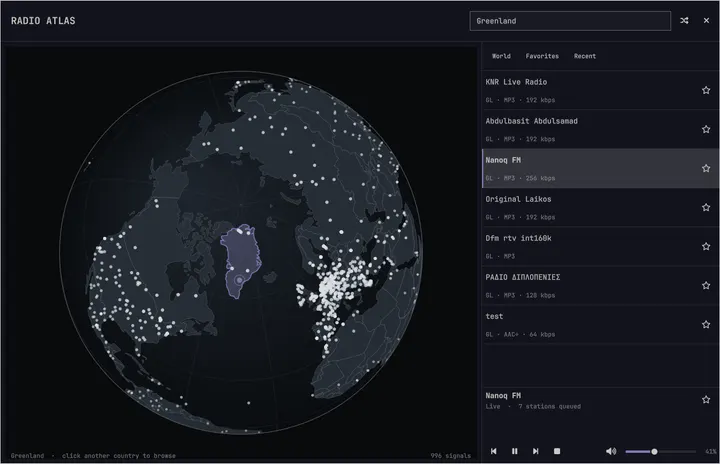
95நட்சத்திரங்கள்சுழற்றக்கூடிய பூகோளத்தில் நேரலை வானொலிகளைத் தேடி Omarchy ஊடகக் கட்டுப்பாடுகள் மூலம் நிலையங்களை இயக்குங்கள்.
Akshar Patel - Widgets
முகவர்களின் காலத்திற்கான, உங்கள் விருப்பப்படி மாற்றக்கூடிய OS.ஒவ்வொரு மாற்றத்தையும், சரிசெய்தலையும், சிக்கலையும் உங்கள் முகவருடன் பேசி கையாளுங்கள்.
முன்பு Linux அமைப்பது சிரமமாகவும், பிழைகளைக் கண்டறிவது கடினமாகவும், தொடக்கத் தேர்வுகள் குழப்பமாகவும் இருந்தன. மிக விரைவான நிறுவல், சிக்கல்களை ஆராயும் முகவர்கள், அருமையான இயல்புநிலை அமைப்புகள் மூலம் Omarchy இவற்றைத் தீர்க்கிறது. முதல் பயன்பாட்டிலிருந்தே அழகாகத் தோன்றும், முழுமையாக இயங்கும் அமைப்பு கிடைக்கிறது.
Oma என்பது omakase, செஃப் தேர்வு: நாங்கள் கருவிகளைத் தேர்ந்து விவரங்களைச் சரிசெய்கிறோம், அதனால் நீங்கள் உடனே வேலையைத் தொடங்கலாம். ஆனால் இது உங்கள் கணினி. நீங்கள் அனைத்தையும் மாற்றுவதற்கு சுதந்திரமாக இருக்கிறீர்கள்.
இவை அனைத்துக்கும் பின்னால் இருப்பது Omarchy கோட்பாடு: நெர்டுகளை ஒன்றிணைக்கவும், ஏஜெண்டுகளை வரவேற்கவும், சரியான கணினியை உருவாக்கவும் பத்து கொள்கைகள். நாங்கள் இன்னும் அங்கே செல்லவில்லை, ஆனால் இப்போது நம்மால் அனைத்தையும் சரிசெய்ய முடியும்.
உற்சாகம் உங்களுக்கும் பரவட்டும்.
வேகமான கணினிகளில் 35 நொடிகளிலும், பெரும்பாலான கணினிகளில் இரண்டு நிமிடங்களுக்குள்ளும் பயன்படுத்தத் தொடங்குங்கள்.
ISO-ஐ USB நினைவகத்தில் எழுதுங்கள், ஐந்து கேள்விகளுக்குப் பதிலளியுங்கள். தயாரான பணிமேடை கிடைக்கும்.
USB-இலிருந்து பணிமேடைக்கு ஒரு நிமிடத்திற்குள். கோப்பைச் சரிபார்க்கவும்: SHA-256, கையொப்பம்.
முதலில் அனுபவித்துப் பார்க்க, முழு Omarchy-யும் மெய்நிகர் கணினியில் இயங்குகிறது.
Apple Silicon Mac கணினிகள், Windows 10 மற்றும் 11.Linux-இல் தொடங்க ISO பயன்படுத்துங்கள்.
கையேட்டில் இவையும் உள்ளன: Windows உடன் இரட்டைத் தொடக்கம் மற்றும் மேற்பார்வையற்ற நிறுவல்கள்.
Omarchy முயலப் புதிய கணினி தேவையில்லை. ஆனால் வாங்கினால், இன்றைய மடிக்கணினிகள் அருமை.
புதிய ஒன்றுக்குத் தயாரா? புதிய Dell XPS போன்ற மடிக்கணினிகள் சிறந்த Omarchy கணினிகளாகின்றன. புதிய வன்பொருள் சரியாக இயங்க எங்கள் மைய அணி உதவுகிறது.
பின்னணியில் உள்ள அணியைச் சந்தியுங்கள்பழைய Intel Mac-க்குப் புதிய உயிர் கொடுங்கள். நீங்கள் ஏற்கெனவே விரும்பும் வன்பொருளில் Omarchy புதிய பணிமேடையைத் தருகிறது.
Mac ஆதரவு2011 ThinkPad X220 கூட 2GB RAM-உடன் Omarchy-ஐத் தாராளமாக இயக்க முடியும். பழைய PC-க்கு இன்னும் நிறைய ஆற்றல் இருக்கலாம்.
எளிய PC இயங்குவதைப் பாருங்கள்Omarchy-க்குச் சமூகம் உருவாக்கிய ஆயிரக்கணக்கான செருகுநிரல்கள் உள்ளன. தேவையானது கிடைக்கவில்லையா? முகவரிடம் வேலையை ஒப்படைத்து, முடிந்ததும் பகிருங்கள்.
சுழற்றக்கூடிய பூகோளத்தில் நேரலை வானொலிகளைத் தேடி Omarchy ஊடகக் கட்டுப்பாடுகள் மூலம் நிலையங்களை இயக்குங்கள்.
Akshar Patel - Widgets
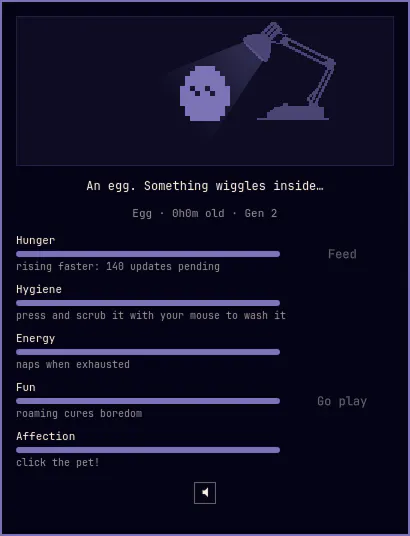
1997-இன் அசல் பொம்மைகளை நினைவூட்டும் 1-பிட் பணிமேடைச் செல்லப்பிராணி உங்கள் பட்டையில்: உணவளியுங்கள், சுத்தம் செய்யுங்கள், கொஞ்சுங்கள், திரையில் உலாவவும் சாளரங்களில் ஏறவும் விடுங்கள். உங்கள் பராமரிப்பில் முட்டையிலிருந்து வெளிவந்து, வளர்ந்து, பரிணமிக்கிறது.
SLcode777 - Other
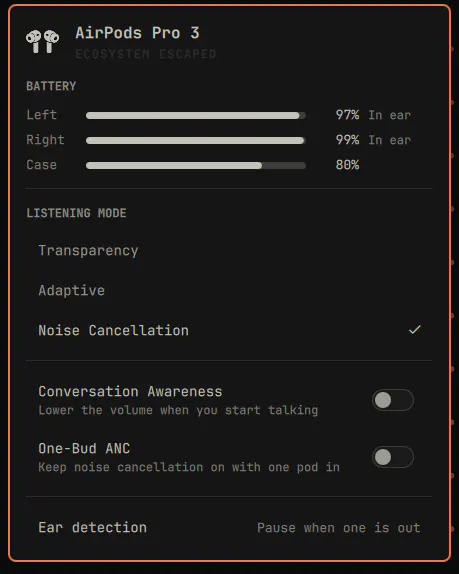
Omarchy பட்டையில் AirPods: ஒவ்வொரு இயர்பட் மற்றும் பெட்டியின் மின்கலம், கேட்கும் முறை, சூழலுக்கேற்ற இரைச்சல் அளவு, உரையாடல் உணர்வு, ஒரு இயர்பட் ANC மற்றும் காது கண்டறிதல்.
GM - Hardware
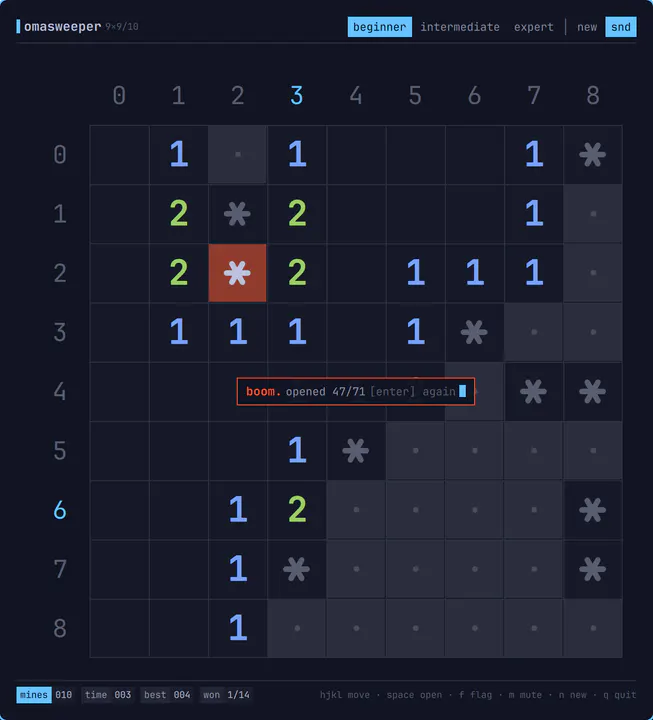
omarchy-shell-க்கான TUI போன்ற Minesweeper: மெல்லிய கோடுகளில் எழுத்துக் கட்டம், அடிமானம் 36 பக்கக் குறிச்சொற்கள், ANSI எண்கள், நிலைப்பட்டை. சாதாரண அடுக்குச் சாளரமாகத் திறக்கிறது; vim இயக்கங்களுடன் முழுவதும் விசைப்பலகையில் விளையாடலாம்; 8-பிட் ஒலிகள்; மூடும்போது நினைவகத்திலிருந்து நீங்கும். திறக்க: omarchy-sh
Jankees - Widgets
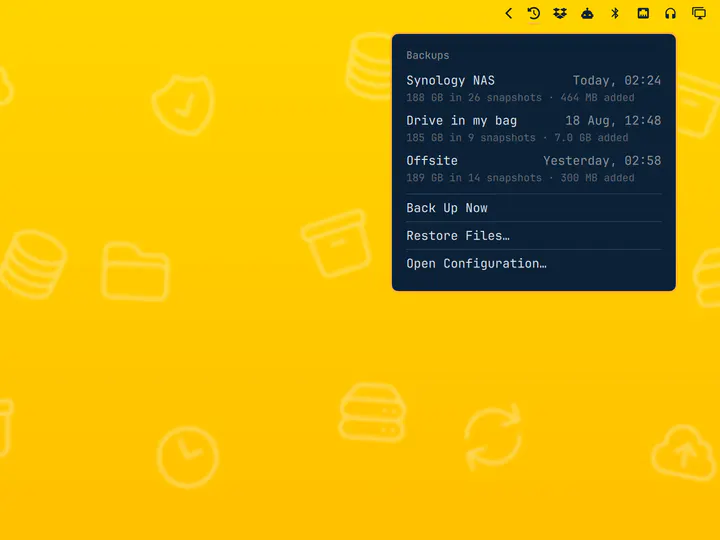
சேமிப்பிடத் தேர்வி மற்றும் ஸ்னாப்ஷாட் பார்வையுடன் திட்டமிட்ட restic காப்புப்பிரதிகள்
Jankees - System
உங்கள் கணினி முகவருக்குச் சொந்த வீடுபோல இருக்க வேண்டும். முழு அமைப்பையும் புரிந்துகொள்ள, சரிசெய்ய, வடிவமைக்க உங்களுக்கு உதவும் கருவிகளையும் திறன்களையும் Omarchy அதற்கு அளிக்கிறது.
முதல் தொடக்கத்தில் இயல்புநிலை முகவரை அமைக்க Omarchy அழைக்கிறது. பிடித்ததைத் தேர்ந்தெடுத்து, உள்நுழைந்து, கணினியில் வேலை செய்ய வையுங்கள்.
செயலி செயலிழந்தால் அறிவிப்பைச் சொடுக்கி முகவரை விசாரணையில் ஈடுபடுத்துங்கள். செயலிழப்புத் தரவைப் பார்த்து, காரணத்தைக் கண்டறிந்து, பிழையைப் புகாரளிக்க உதவ முடியும்.
செயலிகள், செருகுநிரல்கள், தோற்றக்கருக்கள் உருவாக்க முகவருக்கு உதவும் திறன்களுடன் Omarchy வருகிறது. வேண்டியதை விவரித்து, அது உருவாக்குவதை முயன்று, அனைவருடனும் பகிருங்கள்.
தோற்றக்கரு முழு அமைப்பின் தோற்றத்தையும் ஒரே நேரத்தில் மாற்றுகிறது: முனையம், பட்டை, அறிவிப்புகள், பின்னணிப்படம். ஒன்றைத் தேர்ந்தெடுத்தால் இந்தத் தளமும் அதே தோற்றத்தைப் பெறும். அல்லது அழுத்துங்கள் T அவற்றை மாற்றிப் பார்க்க.
உங்களுக்குத் தெரிந்த கருவிகள் ஒன்றாகச் செயல்படத் தயார். திட்டங்களைக் கொண்டு வந்து, பிடித்ததைத் தேர்ந்தெடுத்து, நேரடியாக உருவாக்கத் தொடங்குங்கள்.
Neovim இயல்புநிலை; VSCode, Cursor, Zed, Sublime Text, Helix, Vim, Emacs ஆகியவை நிறுவத் தயாராக உள்ளன. பிடித்ததைத் தேர்ந்தெடுத்து முழு அமைப்பின் இயல்புநிலையாக்குங்கள்.
தொகுப்பியைத் தேர்ந்தெடுங்கள்Omarchy பட்டியலிலிருந்து Ruby on Rails, Laravel, Node.js மற்றும் பல உருவாக்கச் சூழல்களை நிறுவுங்கள். Mise மொழிப் பதிப்புகளை நிர்வகிப்பதால் ஒவ்வொரு திட்டமும் தேவையானதைப் பயன்படுத்தலாம்.
உருவாக்கச் சூழலை அமையுங்கள்வேகமான, இலகுவான Foot இயல்புநிலை. Alacritty, Ghostty அல்லது Kitty பிடிக்குமா? நான்கும் இணைக்கப்பட்டுள்ளன. இயல்புநிலையை மாற்றினாலும் அதே விசைப்பலகைக் குறுக்குவழிகள் இயங்கும்.
முனையத்தைத் தேர்ந்தெடுங்கள்இவையும் உள்ளன: Herdr, Tmux, Docker, Lazygit, மற்றும் சிறந்த ஷெல் கருவிகள்.
Steam, RetroArch மற்றும் விளையாட்டுகளின் உலகத்திற்குத் தயாராக Omarchy வருகிறது. ஆதரிக்கும் வன்பொருளில் NVIDIA உட்பட வரைகலை இயக்கிகளும் அமைப்புகளும் நிறுவும்போதே தயாராகின்றன.
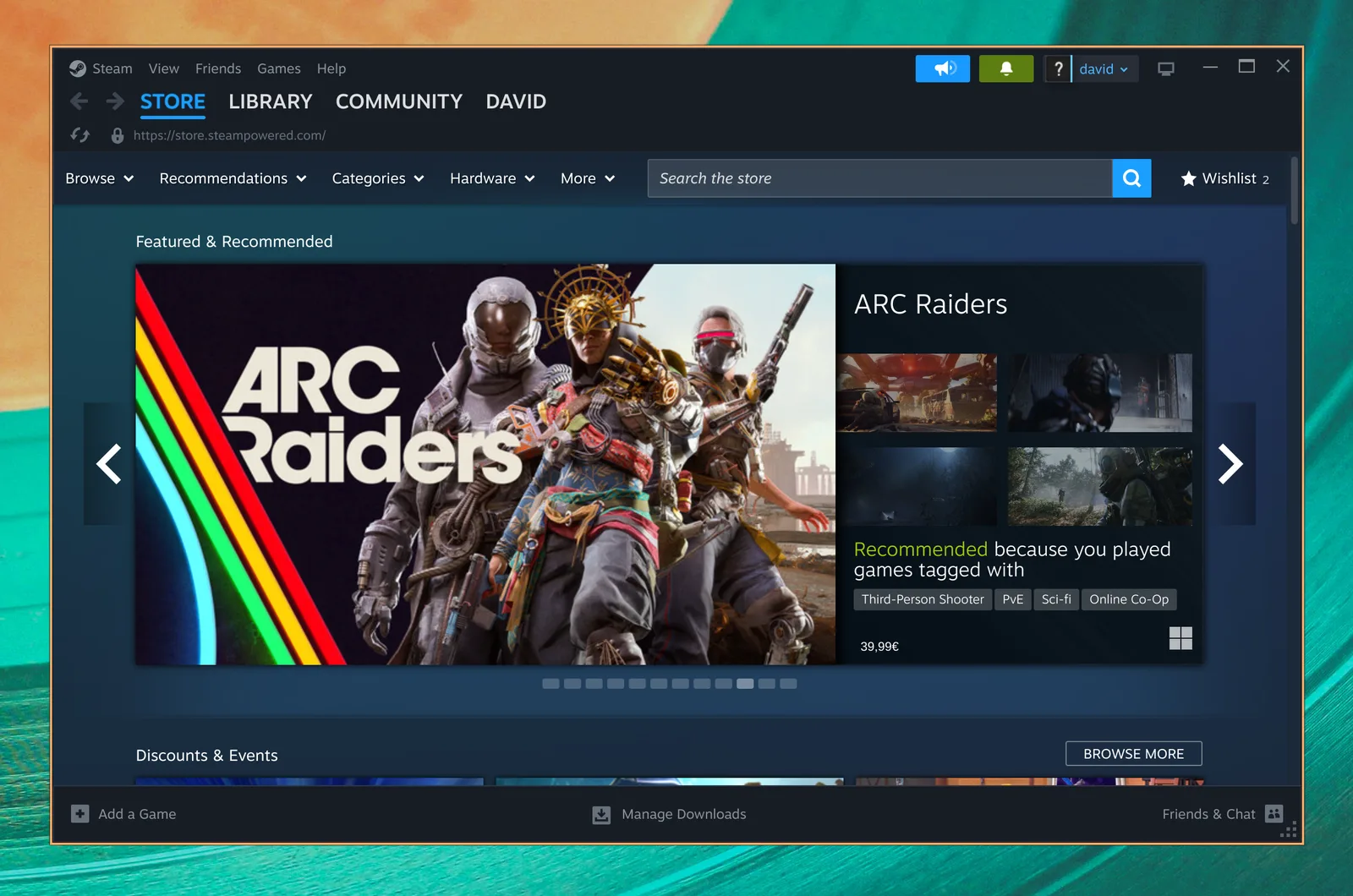
உங்கள் PC விளையாட்டுத் தொகுப்பு Linux-இல் சொந்த வீட்டில். Steam மற்றும் Proton நவீன விளையாட்டுகளின் பெரிய உலகை Omarchy-க்குக் கொண்டுவருகின்றன.
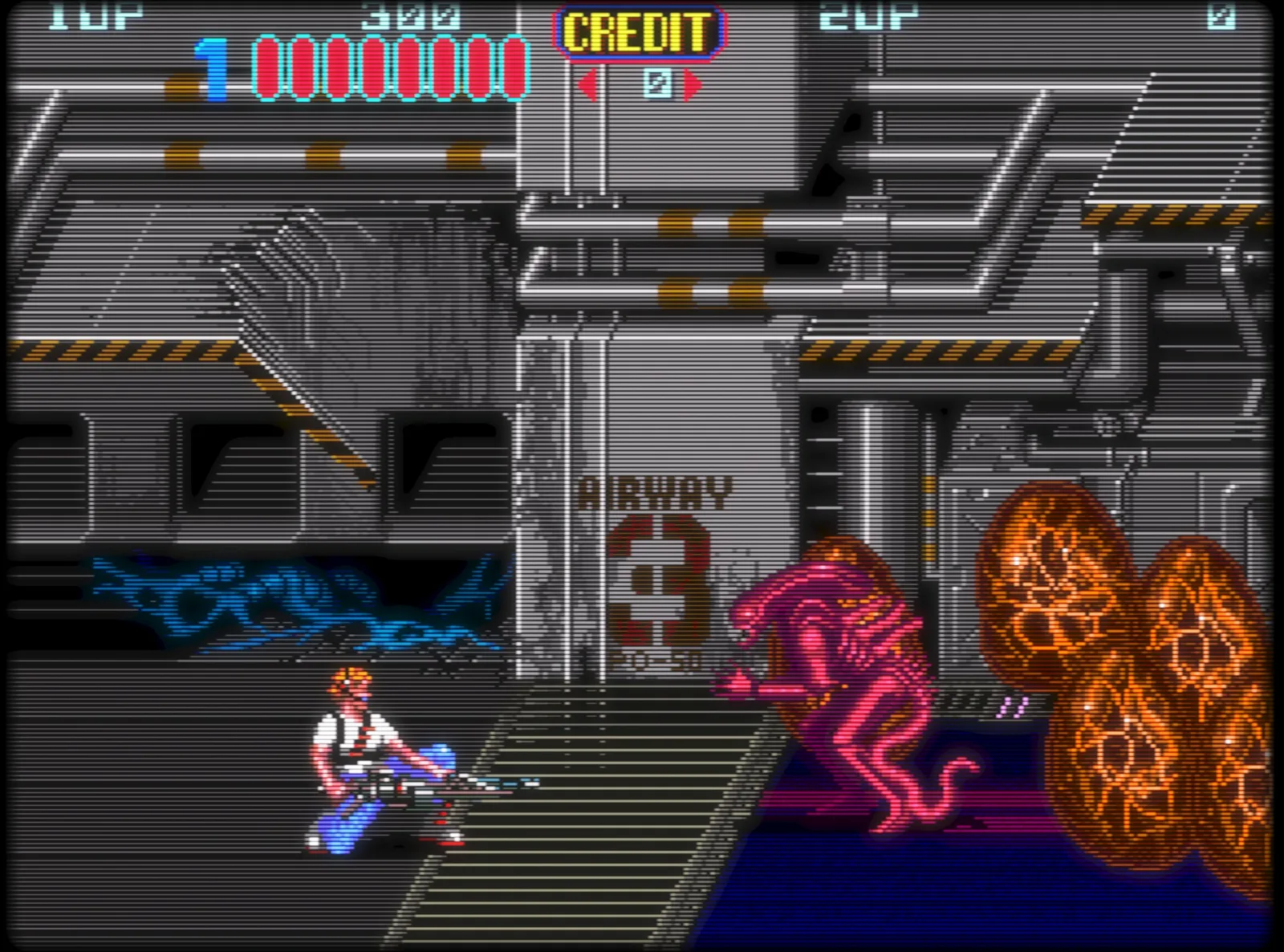
முழுமையான எமுலேட்டர் கோர்களும் அழகான CRT Royale ஷேடரும் கொண்டு பழைய பிடித்த விளையாட்டுகளுக்குத் திரும்புங்கள். பழையகாலத் தோற்றத்திற்காக ஏற்கெனவே அமைக்கப்பட்டுள்ளது.
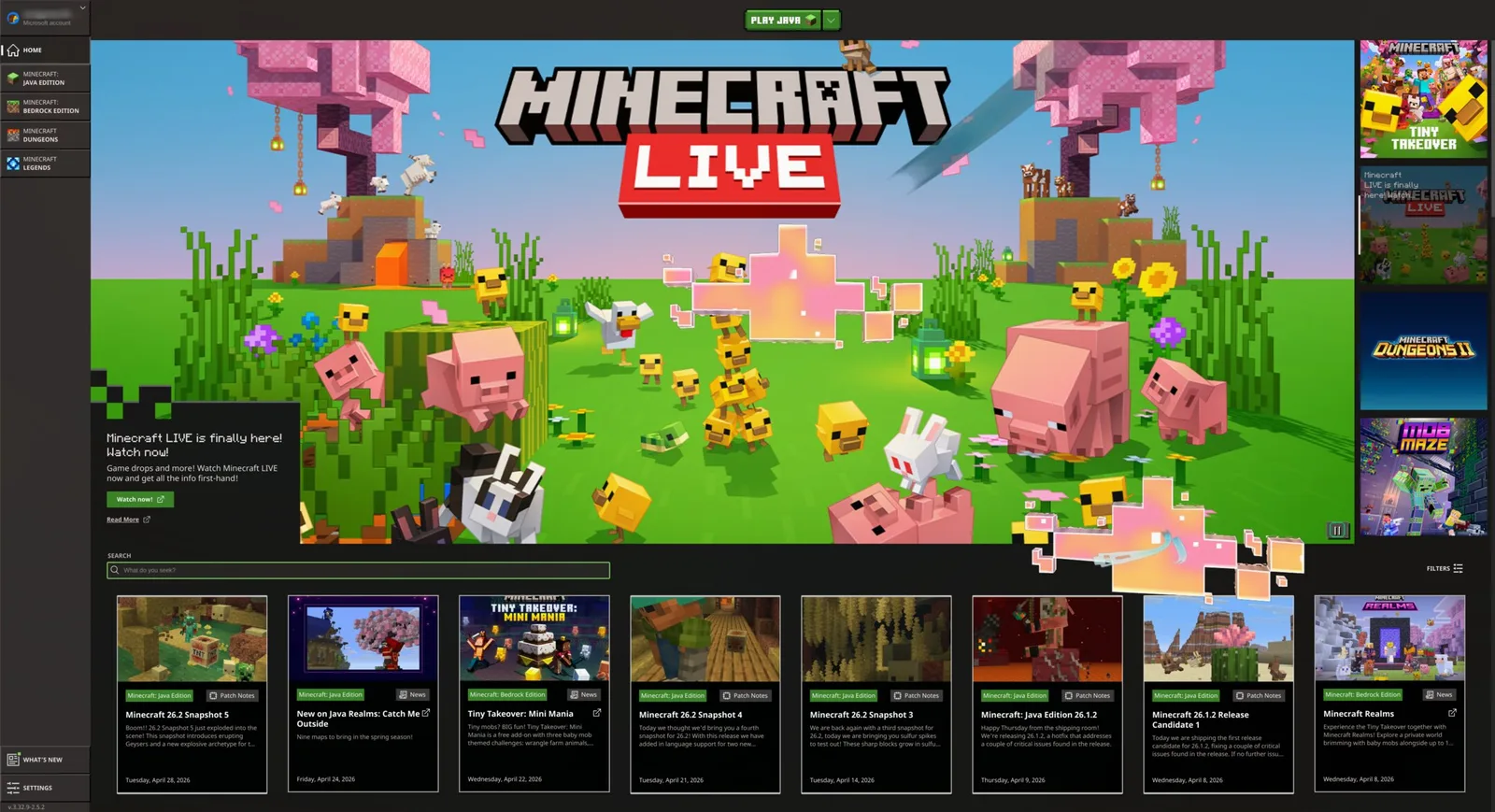
கட்டுங்கள், ஆராயுங்கள், சொந்த உலகத்தை உருவாக்குங்கள். Omarchy விளையாட்டுப் பட்டியலிலிருந்து Minecraft-ஐ நேரடியாக நிறுவி கற்பனையை விரிய விடுங்கள்.
இவையும் உள்ளன: Battle.net, Lutris, Heroic, Moonlight, GeForce NOW, மற்றும் Xbox Cloud Gaming.
தேவையான Windows செயலிகளை Omarchy-க்குள்ளேயே வைத்திருங்கள். எங்கள் Windows 11 மெய்நிகர் கணினி அமைப்பு அசல் Microsoft Office மற்றும் விட முடியாத பிற நிரல்களுக்கு இடமளிக்கிறது.
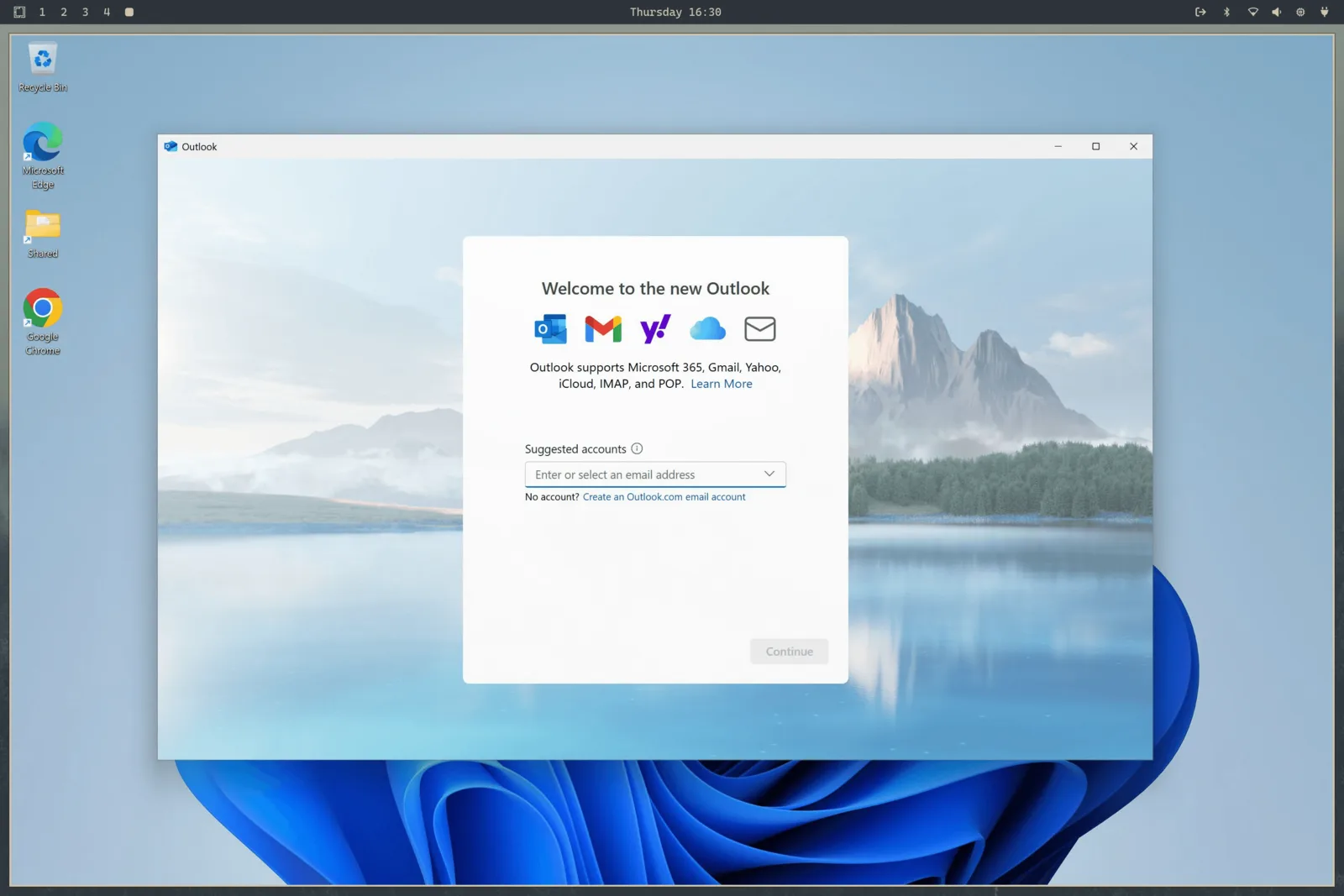
தேர்ந்தெடுங்கள் Install > Windows Omarchy பட்டியலிலிருந்து. வன்பொருள் மெய்நிகராக்கம் Office மற்றும் அன்றாட வேலைக்கு அசல் இயக்கத்திற்கு நெருக்கமான CPU செயல்திறனைத் தருகிறது. பகிரப்பட்ட கிளிப்போர்டும் Windows, Linux இடையே கோப்புகளை நகர்த்தும் கோப்புறையும் உள்ளன.
மெய்நிகர் கணினிக்கு செல்லுபடியாகும் Windows 11 Pro உரிமம் கொண்டுவாருங்கள். இயக்குங்கள் omarchy windows key மூலம் கணினியின் அசல் விசையைப் பெறுங்கள். இது Pro உரிமங்களில் மட்டுமே வேலை செய்யும், Home-இல் அல்ல.
இந்த அமைப்பில் GPU முடுக்கம் அல்லது நேரடி GPU அணுகல் இல்லை. ஆவணங்கள், விரிதாள்கள், Windows-இல் மட்டுமே இயங்கும் வேலைச் செயலிகளுக்கு ஏற்றது. விளையாட்டு அல்லது அதிக வரைகலை வேலைக்காக உருவாக்கப்படவில்லை.
நன்கொடைகள், பதிவிறக்கங்கள், பங்களிப்புகள். இவை அனைத்துமே முன்னேற்றத்தின் அடிப்படை.
நிறுவிய பிறகு X-இல் அவர்கள் எழுதியவை.
பதிவுகள் அவற்றின் அசல் மொழியில் காட்டப்படுகின்றன.
 Alex Finn@AlexFinn · Aug 28
If you use AI, you need to switch to Omarchy immediatelyIt is an AI first, open source operating system by @dhh and it has skyrocketed my productivityIn this video I cover how to use it, how to install it, and why I'm having more fun using computers than I ever have before:

 Ojisan Kaichou@OjisanKaichou · Aug 28
After 3 days I am confident in saying that Omarchy Quattro is the absolute best operating system I have ever used, hands down. Better than MacOS. Better than Ubuntu. Way better than Windows. I never knew how much I wanted a tiling window manager until now. I never knew how slow everything else is until now. I didn't know that computing could be as easy and enjoyable today as it was back in the Commodore 64 era. It strikes the perfect balance between "it just works" and "it works if you put in the effort." MacOS is the former, other Linux distros are the latter. The AI integration with Omarchy makes it easy to customize and fix any problems along the way with minimum friction and frustration. Doing everything with keyboard commands takes me back to the Windows 3 era when Windows was fun and not an evil overlord.But I do know that I have only scratched the surface of what Omarchy has to offer. The future looks bright!

 Simon Høiberg@SimonHoiberg · Sep 1
I'm officially installing Omarchy everywhere. This OS is just so good and it just doesn't stop growing on me 🤌Please create Omarchy Android, @dhh. I want to go all-in!
 Greg Gauthier@gmgauthier1967 · Aug 30
I will say this much about Omarchy: I haven't seen this kind of popular energy around an OPERATING SYSTEM, since Windows 95. This definitely has that "Where Do You Want To Go, Today?" feel to it. https://www.youtube.com/watch?v=wRdl1BjTG7c
 Hybrid 🏃🏾@markfenner · Aug 21
I’ve been running Ubuntu on my second machine for over a decade.After seeing another breakdown of Omarchy, this time from @NetworkChuck, I’m fully making the switch today.He changed the entire desktop theme in seconds, used an AI agent to build a Quickshell plugin, handed a crashed process to the agent for diagnosis, ran games through Proton, and launched a Windows VM when Linux wasn’t enough.Omarchy isn’t just Arch with a nice desktop.It starts with Arch, Hyprland, Quickshell, and a keyboard-first workflow, then gives you an environment you can continue reshaping around how you work (the linux boys calls this ricing).The operating system can become another surface your agents can help you modify.Ubuntu had a great run.Omarchy loading…

 Janis Ozolins@OzolinsJanis · Aug 28
I'm enjoying the last dance with Mac OS. It's been beautiful 15+ years. But I can't resist this passion and energy around Omarchy. I've never seen myself running Linux, as a non-dev, but times have changed.As a vibe-coding fanatic for the past year, it’s a no-brainer to switch to an OS where agents are first-class citizens and where customizing the OS is natural, unlike in Mac where it’s a bit of an uphill battle.
 typecraft@typecraft_dev · Aug 29
FWIW no one paid me to make a video about omarchy. I actually love it

 IroncladDev@IroncladDev · Sep 4
Omarchy unintentionally gave birth to a new design system that doesn't just follow the standardized UI patterns on mainstream operating systems, and it's beautiful
 Lars Jansen@oldstackjournal · Sep 1
I finally looked into Omarchy and I can see why dev twitter is suddenly obsessed with it.It’s basically Arch with somebody else making all the hard/endless decisions for you.Hyprland. Terminal first. Keyboard driven. Neovim. Plain config files. Very little “click through six settings panels and hope for the best”This style of OS makes a lot of sense now with ai. An agent can read the config, edit the config, install the package , restart he service, inspect the logs and change the workflow.Which is weird because the future of ai computing might end up looking a lot like the old way of using computers: files, terminals, scripts, text and a machine you can actually understand.
 Karl Løland@etroll · Sep 1
Using Omarchy for a week now, and needed the ability to mirror my screen to and AppleTV at the office (and home) for some presentation. Within ~30 mins, a plugin that can mirror screen and windows from Omarchy was created. The malleable computer from @dhh is the future happening in front of our eyes.https://github.com/ETroll/omarchy-airplay
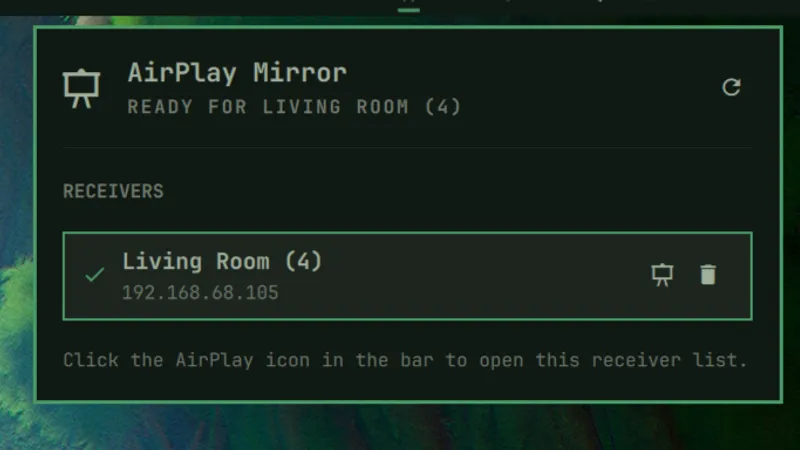
 Anush Elangovan@AnushElangovan · Sep 5
35s Omarchy install on my Halo laptop. Great work @dhh . This is now my daily driver. Still getting used to the short cuts but the best Linux desktop to date (close to my custom Gentoo build that ofcourse took a few weeks to dial in😝)
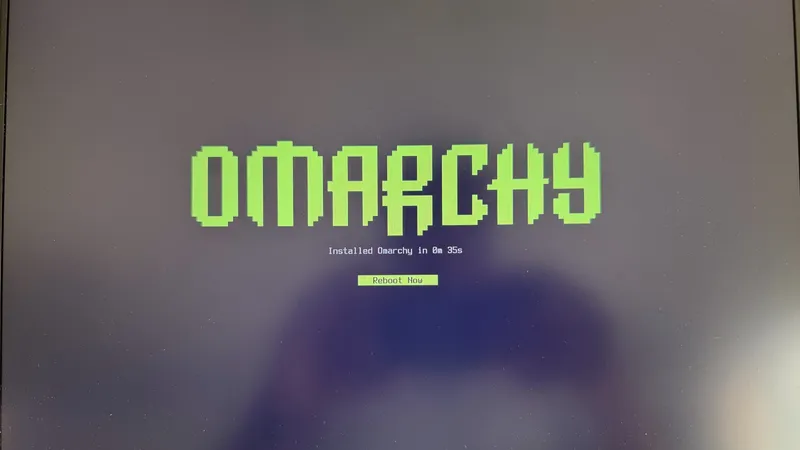
 Micah Bias@bias_micah · Aug 30
Installed Omarchy. I don’t think I’m going back to windows for my personal daily driver. About an hour getting used to the tile navigation, and I’m hooked. So far, everything I’ve needed to install has been a few keystrokes away, and it all just works. This is wonderful.
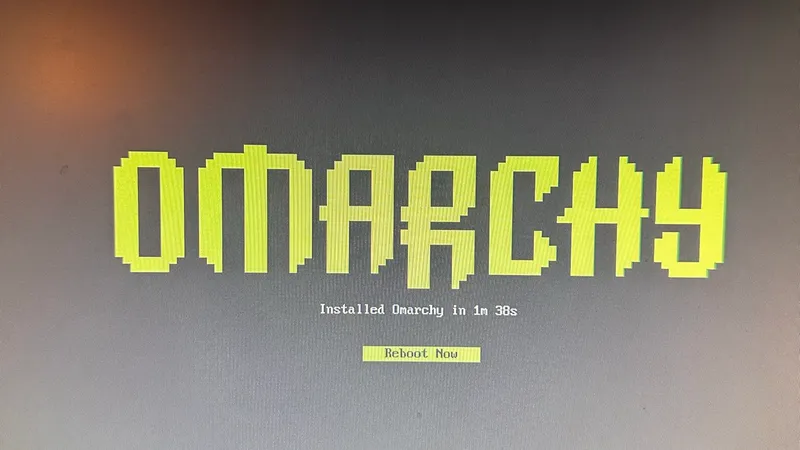
 Fredi Machado@fredimachado · Sep 6
I'm having so much fun with Omarchy. I'm having that sense of childlike wonder with this thing. I love it! I even built a dead-simple IRC client (Omairc) for it, because why not? Thanks @dhh !! #omarchy
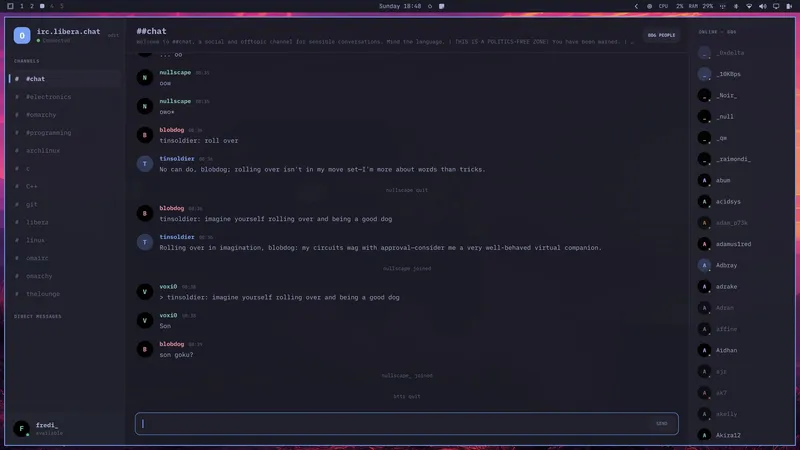
 Dmitrii Kovanikov@ChShersh · Sep 6
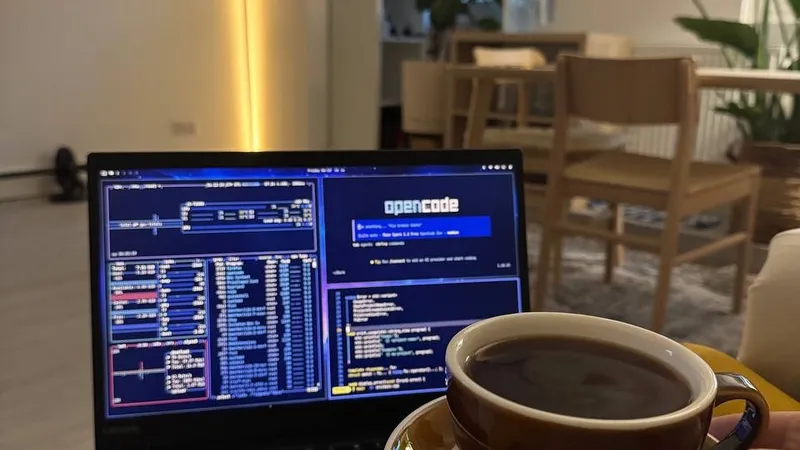
I've been using Omarchy for a week, and here's my full honest review.It's an OS that made me excited about computers again.I was planning to play with it for only a couple of hours. But I find myself spending more and more time using it. It's so pleasant to use that I don't want to go back.Omarchy is a chef's special. And you can say that all the ingredients, like Arch, Hyprland, OpenCode, etc., existed long before, so you could always make it for yourself (not really true; people have built some things specifically for Omarchy from scratch). But someone spending so much time and resources to package everything nicely makes a big difference.The fact that a fully working Omarchy setup is just a couple of minutes away makes a big difference. I can literally install it while I'm brewing my coffee and simply start using it immediately.It just works ™️And then I can spend all the time in the world tinkering with it because it's such a nice experience.You can notice that Omarchy is built by a person who cares about a product. It's not just tech supremacism. Every minor detail matters, and every papercut is taken seriously.As it should be.Even an innocent tiny thing like "pressing an arrow or backspace key moves the cursor a little bit faster" makes a big difference for me. I do feel like the computer matches my speed of thinking and working.Omarchy is not perfect. I had a minor issue with copy/paste keybindings with multiple language layouts (there's an open PR to address that already, and my agent fixed it for me locally). Terminal and browser windows take several noticeable seconds to start on my old laptop in a power-saving mode. My agent broke my theme once when I was trying to be too experimental with it (but then it easily reverted it to a working state).But honestly, this is nothing compared to how bad Windows and macOS can be in areas that matter.Omarchy will get better. Substantial resources are put into it, and I trust the @DHH vision to make it even better.My biggest genie wish for now is having a better file browser, e.g. a TUI version of Total Commander or Far Manager style. But I've already seen someone working on a similar thing, so I have high hopes.I just can't believe my oldest and least powerful laptop in my home is the machine I'm the most excited to use.
 Ravi Vasavan@ravivasavan · Sep 6
Installed Omarchy on my PC, went as far as wiping any traces of Windows from it. It truly is opinionated and I love that agents are considered native, setting it up has been fun and plugging in all of my go-to's were super easy. Hats off to @dhh and all involved.
 Elvinas Predkelis@predkelis · Jul 2
All right, Omarchy is quite something. It's been a while back since I've last used Linux as a daily driver. But Omarchy is a breeze - snappy, intuitive and a joy to use.Some personal tweaks here and there, adding Ghostty and it's a dream machine. Thank you @dhh 🙏
 l0gicgate@l0gicgate · Aug 30
I was using Manjaro and almost everything was broken in the distro. Omarchy just works out of the box and is more polished than other distros out there. Also wanted hyprland already setup for me. Been mainlining it for 425 days now. Love it.
 David@D_av_id_ · Aug 31
Posting this from Omarchy Quattro on my 2012 Mac Mini1. I love it 2. Omarchy runs circles around macOS itself on this machine, which had become entirely unusable
 Brodie Robertson@BrodieOnLinux · Aug 31
It is funny to me how much mental energy is being spent trying to find vulnerabilities in Omarchy as a dunk on the project inadvertently making it way more secure than it would have been if left alone.
 The Lunduke Journal@LundukeJournal · Aug 24
I see a lot of activists attacking Omarchy Linux for getting $8 Million in donations to fund its new Foundation.“Omarchy is compromised!”, they exclaim. “It’s for billionaires… it’s not for the people! It’s Oligarchy Linux.”This is, quite frankly, retarded.Who funds Fedora? IBM (and their multi-billion dollar subsidiary, Red Hat).Who funds the Linux kernel? Microsoft, Meta, Amazon, IBM, and a bunch of other Billion dollar corporations (often run by billionaires). All directly funding and controlling a quarter billion dollar per year trade organization.If “Omarchy is compromised… it’s Oligarchy Linux!”… then so is Fedora. And absolutely every system which uses the Linux kernel. Without exception.Yet we see this “3 generations of inbreeding” level of stupid being spouted all across Mastodon.

Omarchy Core திசையை தீர்மானிக்கிறது, Security team உங்கள் சிஸ்டத்தைப் பாதுகாப்பாக வைக்கிறது, Design அது எப்படி தோன்றுகிறது, எப்படி உணரப்படுகிறது என்பதை வடிவமைக்கிறது, Omarchy M அதை Mac-க்கு கொண்டு வருகிறது, Rangers மற்றவர்கள் தங்கள் வழியைக் கண்டுபிடிக்க உதவுகிறார்கள்.
Omarchy-இன் உருவாக்கம், பராமரிப்பு, பரவல் ஆகியவற்றின் பெரும்பகுதிக்கு நிதியளிக்கும் பில்லியனர்கள், வெறும் மில்லியனர்கள் மற்றும் நிறுவனங்கள்.
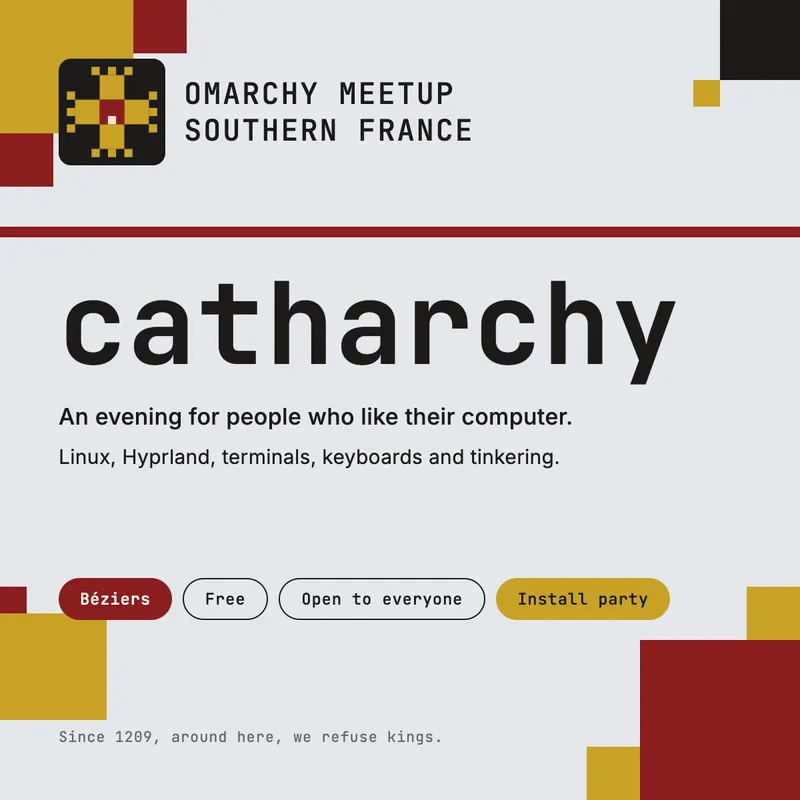
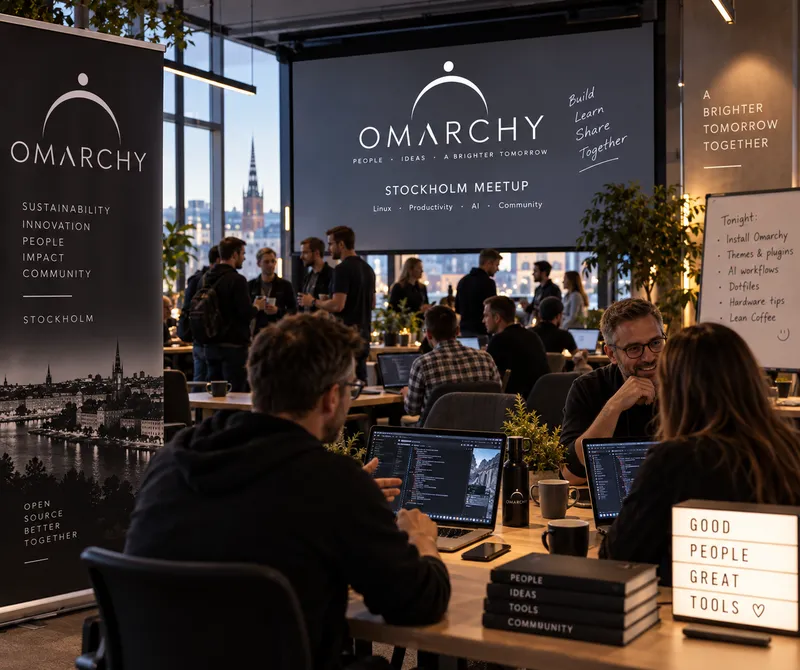
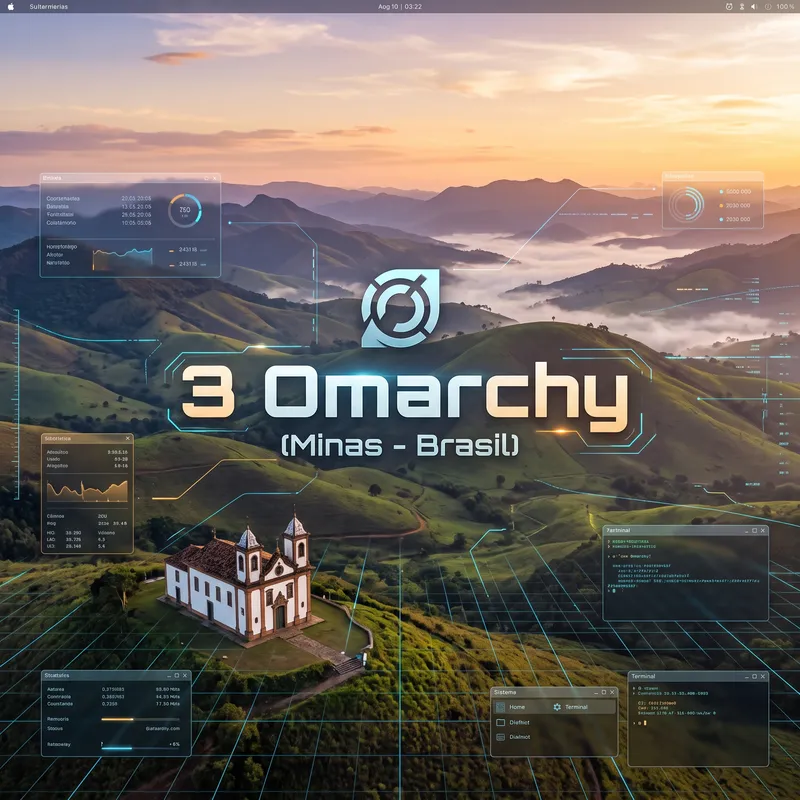
உங்களைப் போலவே கணினிகளை நேசிப்பவர்களுடன் கூடுங்கள். செருகுநிரல்களைப் பகிர்ந்து, வேலைகளைக் காட்டி, புதியவர்கள் சமூகத்தில் இணைய உதவுங்கள்.
· Béziers

· Jacksonville

· Santo Domingo de Guzmán

· Show Low

· Kuala Lumpur

· Doha

· Beachwood


· Sydney

· San Francisco
· Stockholm

· Providence

· Carrollton
· Belo Horizonte

· Syracuse
உங்கள் நகரத்தில் சந்திப்பு இல்லையா? நீங்களே தொடங்குங்கள்.
முகவருக்கு ஆணையிடுங்கள், அதையே செய்பவர்களுடன் பழகுங்கள்.
ஆயிரக்கணக்கான Omarch பயனர்களுடன் அன்றாட உரையாடல், உதவி, உங்கள் பணிகளைப் பகிர்தல்.
சேவையகத்தில் சேருங்கள்உலகெங்கும் Omarchy சந்திப்புகள் நடைபெறுகின்றன. அருகில் ஒன்றைத் தேடுங்கள், அல்லது நீங்களே தொடங்குங்கள்.
சந்திப்பைத் தேடுங்கள்சிக்கல்களைப் பதிவு செய்யுங்கள், பிழைகளைத் திருத்துங்கள், புதிய வசதிகளைச் சமர்ப்பியுங்கள்.
GitHub-இல் பங்களியுங்கள்Omarchy-ஐ அனைவருக்கும் மேம்படுத்தும் மனிதர்களுக்கும் திட்டங்களுக்கும் நிதி வழங்க உதவுங்கள்.
ஆதரவாளராகுங்கள்